If you have a Django application in production, sooner or later you will hit the limits of shared hosting: slowness, configuration restrictions, lack of control. The solution is to migrate to a VPS (Virtual Private Server).
In this article I explain step by step how I migrated axxyss.com to a Debian 12 VPS with nginx as the web server and gunicorn as the WSGI server.
Why a VPS?
Shared hosting is affordable but has significant limitations:
- You cannot freely install system packages
- Resources (CPU, RAM) are shared with other users
- Configurations like websockets or custom workers are not available
- Performance is unpredictable
With a VPS you have full control over the server: install what you need, configure nginx to your specifications and define how many gunicorn workers your application requires.
Prerequisites
- A VPS with Debian 12 (I use Strato, but any provider works)
- SSH access to the server
- Your Django project working locally
- A domain pointing to the VPS IP
Step 1 — Prepare the server
Connect to the VPS via SSH and update the system:
ssh user@your_ip -p 22
sudo apt update && sudo apt upgrade -y
Install the required dependencies:
sudo apt install python3 python3-pip python3-venv nginx git -yStep 2 — Upload the project
Clone your repository from GitHub:
cd /var/www/
git clone https://github.com/your_user/your_project.git
cd your_project
Create the virtual environment and install dependencies:
python3 -m venv venv
source venv/bin/activate
pip install -r requirements.txt
Step 3 — Configure environment variables
Create the .env file with your production variables:
nano .envDEBUG=False
SECRET_KEY=your_secret_key
ALLOWED_HOSTS=yourdomain.com
DB_NAME=db_name
DB_USER=db_user
DB_PASSWORD=db_passwordStep 4 — Configure gunicorn as a systemd service
Create the service file:
sudo nano /etc/systemd/system/myapp.service[Unit]
Description=Gunicorn daemon for myapp.com
After=network.target
[Service]
User=www-data
Group=www-data
WorkingDirectory=/var/www/your_project
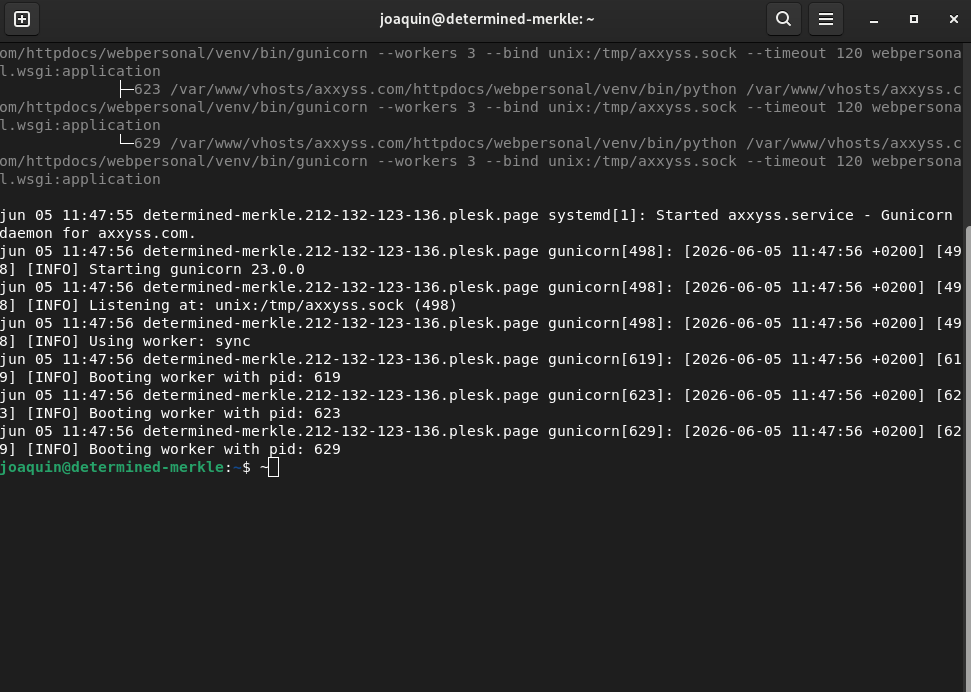
ExecStart=/var/www/your_project/venv/bin/gunicorn \
--workers 3 \
--bind unix:/tmp/myapp.sock \
--timeout 120 \
myapp.wsgi:application
[Install]
WantedBy=multi-user.targetEnable and start the service:
sudo systemctl daemon-reload
sudo systemctl enable myapp
sudo systemctl start myapp
Step 5 — Configure nginx
Create the nginx configuration file:
sudo nano /etc/nginx/sites-available/myappserver {
listen 80;
server_name yourdomain.com www.yourdomain.com;
location = /favicon.ico { access_log off; log_not_found off; }
location /static/ {
root /var/www/your_project;
}
location /media/ {
root /var/www/your_project;
}
location / {
include proxy_params;
proxy_pass http://unix:/tmp/myapp.sock;
}
}Enable the site:
sudo ln -s /etc/nginx/sites-available/myapp /etc/nginx/sites-enabled/
sudo nginx -t
sudo systemctl restart nginx
Step 6 — SSL certificate with Let's Encrypt
sudo apt install certbot python3-certbot-nginx -y
sudo certbot --nginx -d yourdomain.com -d www.yourdomain.com
Certbot automatically configures nginx for HTTPS and renews the certificate every 90 days.
Step 7 — Static files and migrations
source venv/bin/activate
python manage.py collectstatic
python manage.py migrate
Conclusion
Migrating to a VPS requires a bit more initial setup but the benefits are clear: performance, full control and scalability. Once configured, the deployment workflow is simple:
git pull origin main
sudo systemctl restart myapp
If you have any questions about migrating your Django project to a VPS, feel free to contact me — this is exactly the type of project I work on.
Sign IN
Comments: (0)
There are no comments yet.